GPS Speed in m/s vs km/h: A Field Test Bug
The phone sent GPS speed in m/s, and the BusiKM backend showed it as km/h: 18 km/h at 70 km/h. Why the tests missed it and how I fixed the GPS speed units.
Published: 6 min read
Author: Łukasz Głowacz, Full-Stack Engineer · Czytaj po polsku
Contents
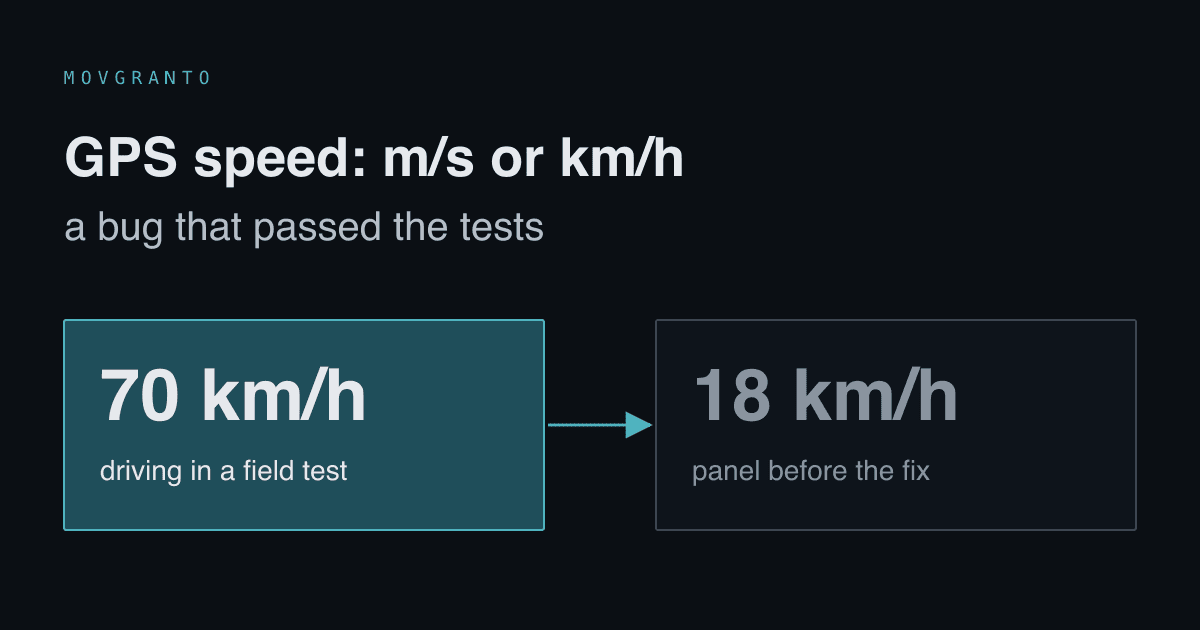
On November 3 I ran a field test of the driver app on staging. The car was doing about 70 km/h, and the web panel showed 18 km/h. The cause was simple: the phone sends GPS speed in m/s, and the backend had treated that number as km/h from day one. What's more interesting is that this bug passed thousands of tests and only showed up in a car. In this post I describe where exactly m/s turned into km/h, what it broke along the way, and why the tests didn't see it.
One number, two units
The driver app takes the position from expo-location and copies coords.speed into a GPS point without any change:
if (location.coords.speed !== null && location.coords.speed !== undefined) {
  point.speed = location.coords.speed; // metres per second, straight from the OS
}
Points go to the backend in batches and land in the gps_points collection in MongoDB. The field is simply called speed, with no unit. From there the backend passed this value to the live map and to the vehicle position in the panel:
VehiclePositionService.update_from_gps(
    trip.vehicle,
    latitude=last_doc["latitude"],
    longitude=last_doc["longitude"],
    speed_kmh=last_doc.get("speed"),  # the name says km/h, the value is m/s
)
The parameter name said km/h, the value was in m/s. 70 km/h is about 19.4 m/s, so the panel showed a number 3.6 times too small.
Worse than a wrong number on the map
A wrong number on the map is the smallest problem, because someone eventually notices it. Worse were the thresholds that compared a value in m/s against a number defined in km/h. There were three such places:
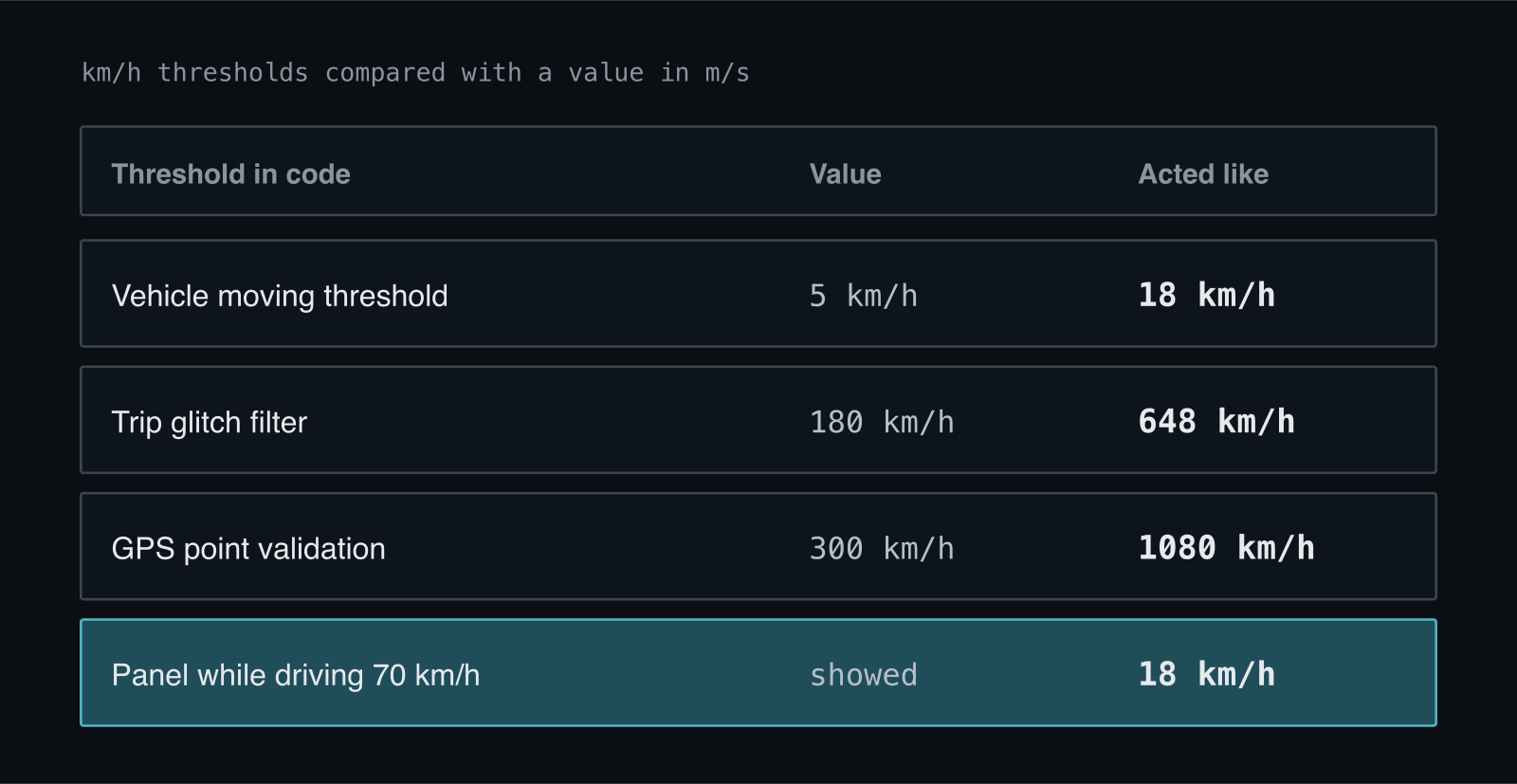
- Vehicle movement threshold. A car is "moving" when it goes faster than 5 km/h. Comparing against m/s shifted this threshold to 18 km/h, so a van in a traffic jam or on a housing estate showed as stationary in the panel.
- Route noise filter. When calculating distance, a point with a speed above 180 km/h is dropped as a GPS jump. In m/s this threshold was effectively 648 km/h, so the filter rejected nothing.
- Point validation. A point faster than 300 km/h is rejected immediately. In m/s the limit was 1080 km/h.
On top of that, route statistics stored average and maximum speed in the avg_speed_kmh and max_speed_kmh fields, computed directly from the points, so in m/s.
Why the tests didn't catch it
The backend has several thousand tests, and the routes, fleet, dispatch and shared modules passed 3775 of them after the fix. They passed before the fix too. The reason was in the test data generator:
# Before: the test helper produced speed in km/h
"speed": round(speed_kmh + (i % 5 - 2), 1),
# After: m/s, like coords.speed from the phone
"speed": round((speed_kmh + (i % 5 - 2)) / 3.6, 2),
The GPS point generator in the tests produced speed in km/h. The code assumed km/h and the test data assumed km/h, so the tests confirmed the same wrong assumption instead of verifying it. The test data was written together with the code, with the same picture of what comes from the phone. The real phone had a different one.
The API contract didn't help either. The speed field in the schema was a number and stayed a number. The fix changed only the field descriptions in the schema, because the types had matched from the start. I wrote about how I keep the backend, web and mobile app on the same types in the post about a single API contract. A type tells you it's a number. It doesn't tell you the unit.
Only the field test caught the bug. Before the first release of the driver app there is a field-testing checklist: a real phone, a real drive, background GPS, dead zones, battery. Speed wasn't on that list, but it was enough to compare the speedometer in the car with what the panel showed.
One place for conversion
The fix follows one rule: in the database, speed stays in m/s, exactly as it comes from the phone, and everything that leaves the backend as km/h goes through a single helper.
MS_TO_KMH = 3.6


def speed_ms_to_kmh(speed_ms: float | Decimal | None) -> float | None:
    """Speed from m/s to km/h, rounded to 0.1 km/h; a missing reading stays missing."""
    if speed_ms is None:
        return None
    return round(float(speed_ms) * MS_TO_KMH, 1)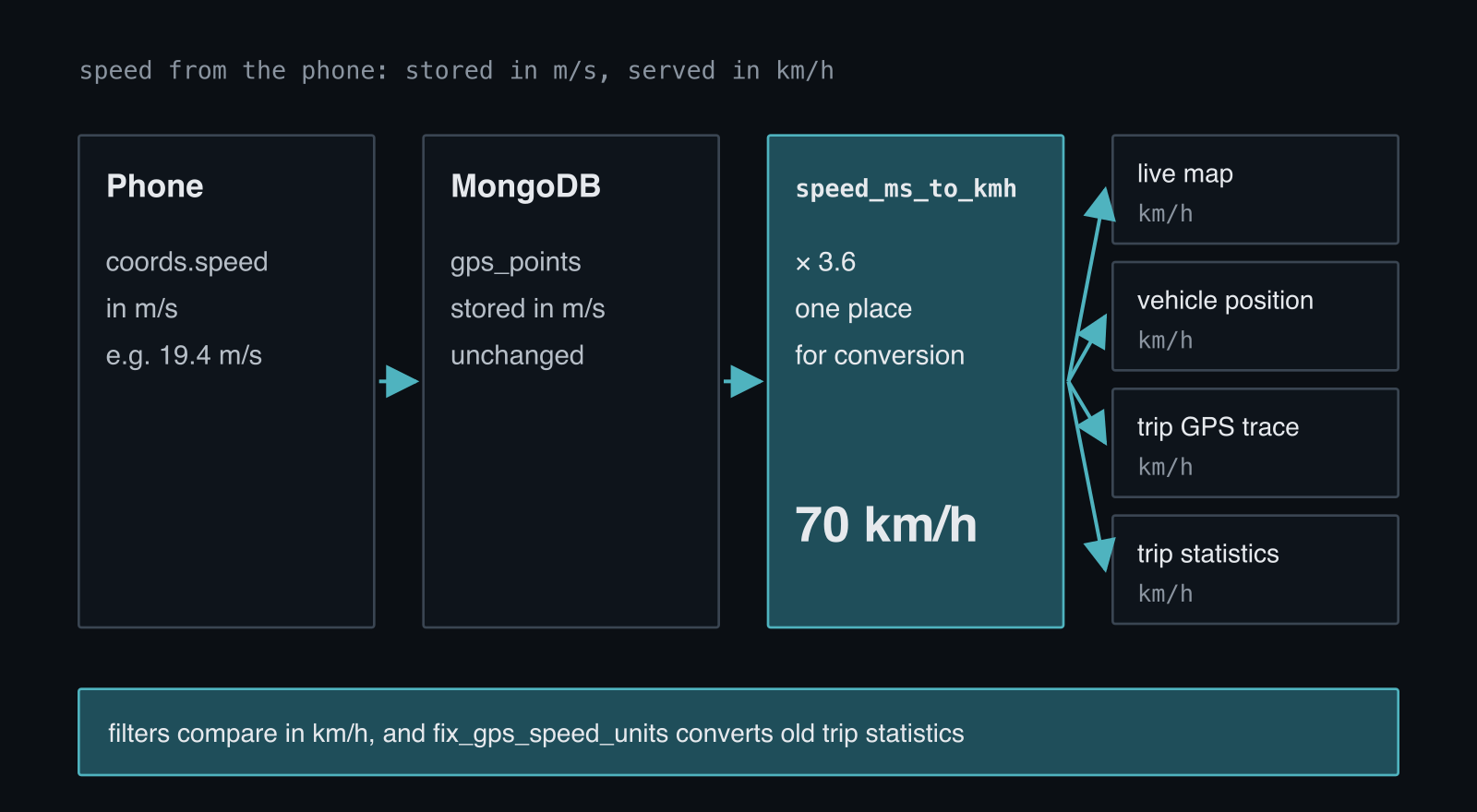
The live map over WebSocket, the vehicle position, the route GPS trace and the statistics all go through the helper. The noise filters also convert the point's speed to km/h before comparing it with the threshold, and the point in the code has a comment that its speed field is in m/s. Points in MongoDB stayed under the same name and in the same unit, so the fix needed no data migration and no change in the mobile app.
iPhone in the background doesn't report speed
Along the way a second problem showed up with the same symptom. In the background, iOS doesn't provide speed, and the point arrives with an empty speed field. Previously a missing speed resulted in is_moving = False, so a moving car appeared as stationary. Now, when a point has no speed, the backend estimates it from the vehicle's previous position:
def _estimate_motion(previous, latitude, longitude, recorded_at, accuracy):
    """(speed km/h, moving) from the previous position; without reliable data keep the old state."""
    if previous is None:
        return None, False
    elapsed = (recorded_at - previous.recorded_at).total_seconds()
    if not 10 <= elapsed <= 600:  # shorter is clock noise, longer mixes stops and driving
        return None, previous.is_moving
    distance_m = haversine_km(previous.coords, (latitude, longitude)) * 1000
    if distance_m <= max(accuracy or 0, 25.0):  # within GPS accuracy: standing still
        return 0.0, False
    speed_kmh = speed_ms_to_kmh(distance_m / elapsed)
    return speed_kmh, speed_kmh > VehiclePosition.MOVING_SPEED_THRESHOLD_KMH
A gap shorter than 10 seconds is clock noise, and one longer than 10 minutes averages out a stop and driving. In both cases the backend keeps the previous state instead of guessing. A displacement smaller than the GPS accuracy, but not less than 25 meters, is treated as a stop.
What about data from before the fix
The GPS points didn't need to be touched, because they had been stored correctly from the start, in m/s. Only the saved route statistics were wrong, with m/s in the fields ending in _kmh. To recalculate them there is a one-off command, fix_gps_speed_units. By default it only shows what it would change, and it writes only with --apply. It can be narrowed to specific routes or a date range.
To make sure the command can't be run twice with a double conversion, new statistics get the speed_unit = "kmh" field. The command recalculates only documents without this flag and sets it afterwards. The vehicle position doesn't need fixing, because the first batch of points after deployment overwrites it.
The lesson
I have two main takeaways. First: the unit should be in the field name everywhere data crosses a system boundary. speed from the phone, with no unit, and speed_kmh in the backend are two fields that look like the same thing and differ by a factor of 3.6. Second: test data written with the same assumption as the code doesn't test that assumption. A generator can produce thousands of points, but only a real phone tells you what unit they actually arrive in.
That's why I treat the field test before a release as a separate layer of testing, not a formality. I wrote about how the driver app receives order changes without polling in the post about WebSocket as a signal. If you're building an app that collects data from phones in the field and want to talk about how to test it, write to me.